
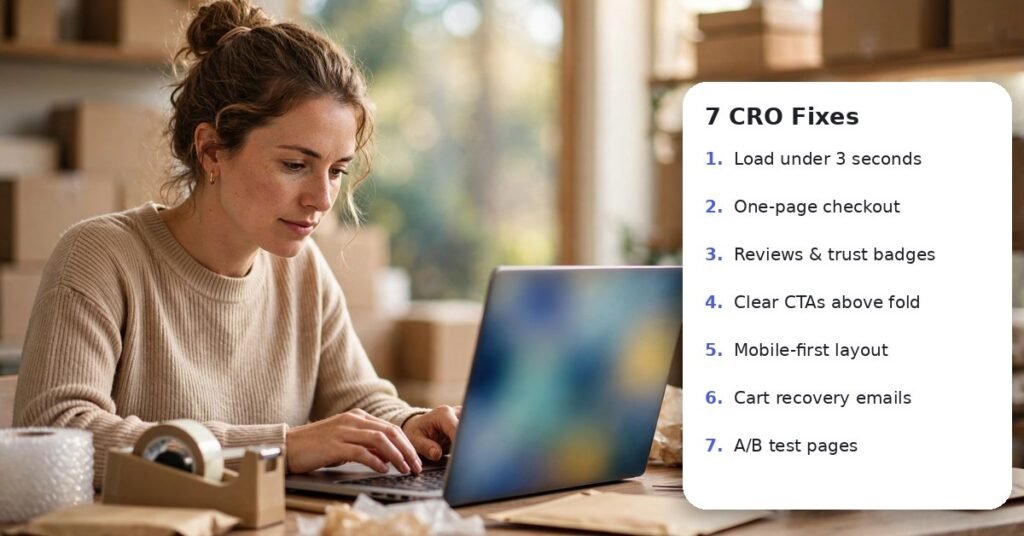
Buying more traffic is expensive. Converting more of the traffic you already have is usually the fastest, cheapest way to grow a Shopify store. A lift from 1.5% to 2% conversion is a 33% revenue increase with zero extra ad spend.
There is plenty of room to improve. Baymard Institute puts the average online cart abandonment rate at 70.22%. These seven fixes are where we start on almost every store audit.
Key takeaways
- Speed and mobile experience come first; every second costs sales.
- Product pages should sell benefits and answer objections up front.
- Show shipping costs early and make checkout fast and familiar.
- Recover abandoned carts with helpful reminders before discounts.
1. Speed up the store
Remove unused apps, compress images, lazy-load media and limit heavy third-party scripts. In Deloitte’s Milliseconds Make Millions study, a 0.1-second improvement in mobile speed lifted retail conversions by 8.4%. Test your key pages with PageSpeed Insights and fix the biggest issues first.
Pro tip: Uninstalling an app does not always remove its code. Check your theme files for leftover scripts after removing any app.
2. Rewrite product pages around benefits
Lead with what the product does for the buyer, then the specs. Answer sizing, materials, care, shipping and returns right on the page with short sections or tabs, so shoppers never need to leave to find answers.
Example in action: Consider a store selling weighted blankets with a title and a spec list. Rewriting the page to lead with “Fall asleep faster without tossing and turning,” adding a weight-by-body-size chart and a plain-English returns promise answers the three questions that were filling the support inbox, and gives hesitant shoppers the confidence to buy.
3. Use better product photography and video
Show the product in use, at scale, from multiple angles and in real settings. A 15-second video often answers questions copy cannot, such as how a fabric moves or how big a bag really is.
Include at least one lifestyle image and one scale shot, such as the product next to a hand or worn by a model with their height listed. Customer photos pulled from reviews add authenticity that studio images cannot.
4. Put social proof near the buy button
Reviews, star ratings and customer photos work best close to Add to Cart, not hidden at the bottom of the page. Show the star rating under the product title and a short review snippet near the button.
Trust badges, a clear returns policy and a real contact option nearby also ease the 19% of shoppers Baymard found are worried about sharing card details with a site they don’t know.
5. Be upfront about shipping costs
Surprise costs at checkout are the number one reason shoppers leave, according to Baymard. Show shipping costs or a free-shipping threshold early, in the announcement bar, on product pages and in the cart. A progress bar such as “You’re $12 away from free shipping” also lifts average order value.
6. Simplify checkout
Enable Shop Pay, Apple Pay and Google Pay, allow guest checkout and remove unnecessary fields. Baymard found 18% of shoppers abandon when a site forces account creation.
Then test your own checkout on a phone, start to finish. Every extra field, pop-up or surprise step you notice is one your customers notice too.
7. Recover abandoned carts
Set up a two-to-three email sequence, and optionally SMS, for abandoned checkouts. Start with a helpful reminder and product image, follow with reviews or FAQs, and only offer a discount in the final message.
| Fix | Effort | Typical impact |
|---|---|---|
| Show shipping costs early | Low | High |
| Express checkout options | Low | High |
| Reviews near Add to Cart | Low | Medium |
| Abandoned cart emails | Medium | High |
| Speed optimization | Medium | High |
| Product page rewrites | Medium | Medium to high |
Your Shopify CRO checklist
Tick each item as you complete it.
The bottom line
Test one change at a time and measure conversion rate and average order value. Small percentage gains across the funnel add up to real revenue, and they make every ad dollar work harder. Pair these fixes with smarter Google Ads bidding and you improve both sides of the profit equation.
Keep reading
Frequently asked questions
What is a good conversion rate for a Shopify store?
It varies by industry and price point, but many stores sit between 1% and 3%. Track your own trend over time rather than chasing a single benchmark.
What is CRO in eCommerce?
Conversion rate optimization is the process of increasing the percentage of visitors who buy, by improving speed, product pages, trust and checkout.
Do too many Shopify apps slow down my store?
Yes. Each app can add scripts that load on every page. Audit apps regularly and remove any you no longer use.
Should I offer free shipping?
If margins allow, a free-shipping threshold slightly above your average order value often increases both conversion rate and order size.
How long should I run an A/B test?
Run tests for at least two full weeks and until each version has enough orders to be meaningful, so weekday and weekend behavior are both included.
Want more sales from the traffic you already have?
Get a free store audit and a 90-day CRO plan for your Shopify store.
Get my free auditOr explore our Shopify service.Browse more topics: Content Marketing · eCommerce · Local SEO · PPC · SEO · Social Media

Vikram has over eight years of experience in SEO and content writing, with a strong focus on creating search-optimized, informative, and engaging content. His experience combines SEO best practices with content strategy, allowing him to develop articles and resources that are designed to improve search visibility while delivering value to readers. He specializes in creating content that aligns with both user intent and broader digital marketing objectives.